# Thiết lập ví để ghi nhận doanh thu từ GrabFood

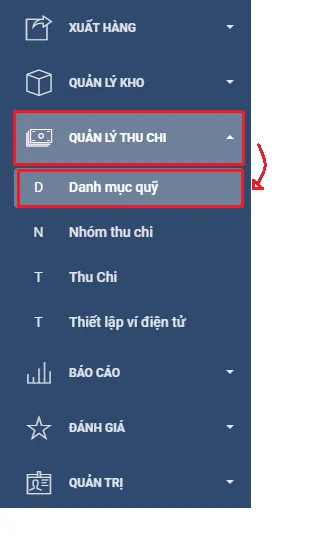
**Bước 1:** Vào mục **Quản lý thu chi** ⇨ Chọn **Danh mục quỹ**

![](/files/-McsK69hdB3w81m3zmrv)

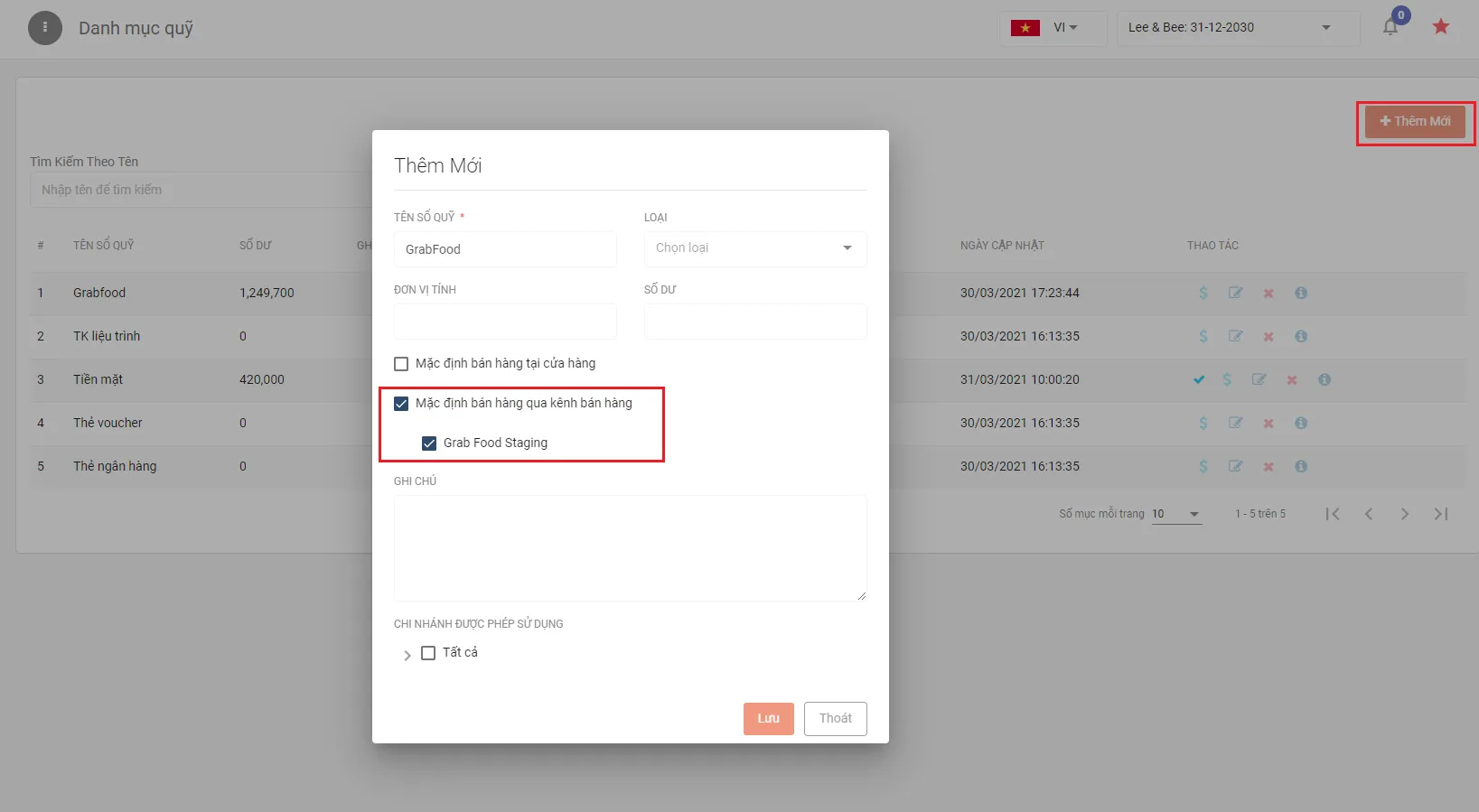
**Bước 2:** Chọn mục **Thêm mới** ⇨ Nhập tên sổ quỹ ⇨ Chọn **Mặc định bán hàng qua kênh bán hàng** ⇨ Chọn **Grab Food Staging**

![](/files/-McsK69iPlltDx7IefZz)

**Bước 3:** Nhấn lưu


---

# Agent Instructions: Querying This Documentation

If you need additional information that is not directly available in this page, you can query the documentation dynamically by asking a question.

Perform an HTTP GET request on the current page URL with the `ask` query parameter:

```
GET https://docs.posapp.vn/ket-noi-voi-grabfood/nhung-viec-can-chuan-bi/thiet-lap-vi-de-ghi-nhan-doanh-thu-tu-grabfood.md?ask=<question>
```

The question should be specific, self-contained, and written in natural language.
The response will contain a direct answer to the question and relevant excerpts and sources from the documentation.

Use this mechanism when the answer is not explicitly present in the current page, you need clarification or additional context, or you want to retrieve related documentation sections.