> For the complete documentation index, see [llms.txt](https://docs.posapp.vn/llms.txt). Markdown versions of documentation pages are available by appending `.md` to page URLs; this page is available as [Markdown](https://docs.posapp.vn/quan-ly-san-pham/thiet-lap-menu-cha-con.md).
# Thiết lập Menu cha con
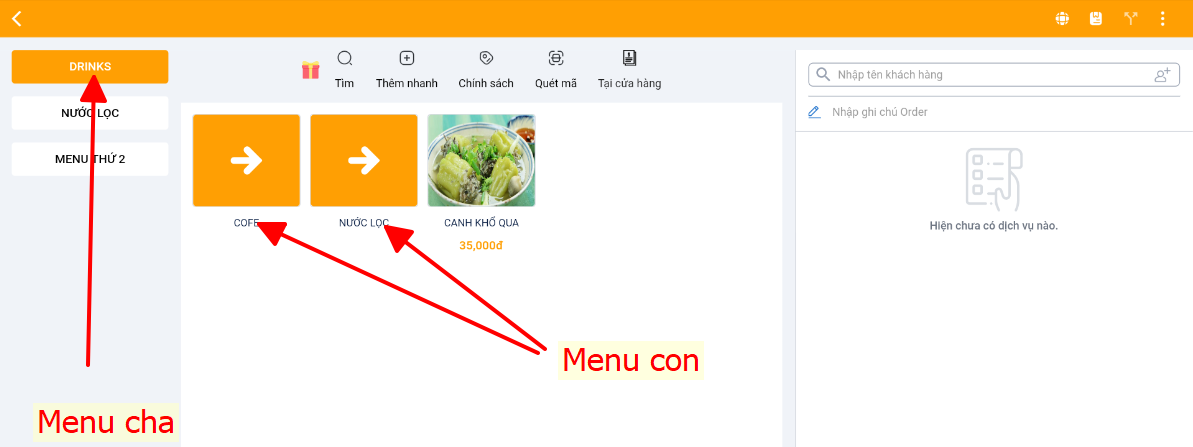
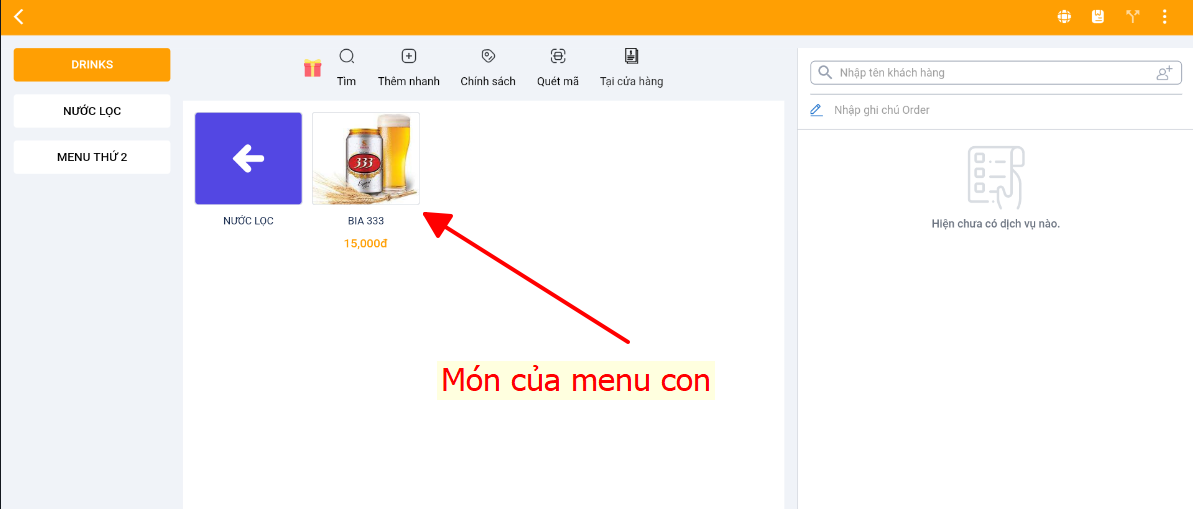
*(Menu phân cấp theo kiểu menu cha > trong menu cha có các nhóm menu con > trong nhóm menu con sẽ có các menu nhỏ hơn)*
Menu cha con này setup dựa vào menu theo ngày và sẽ hiển thị tại màn hình order như này
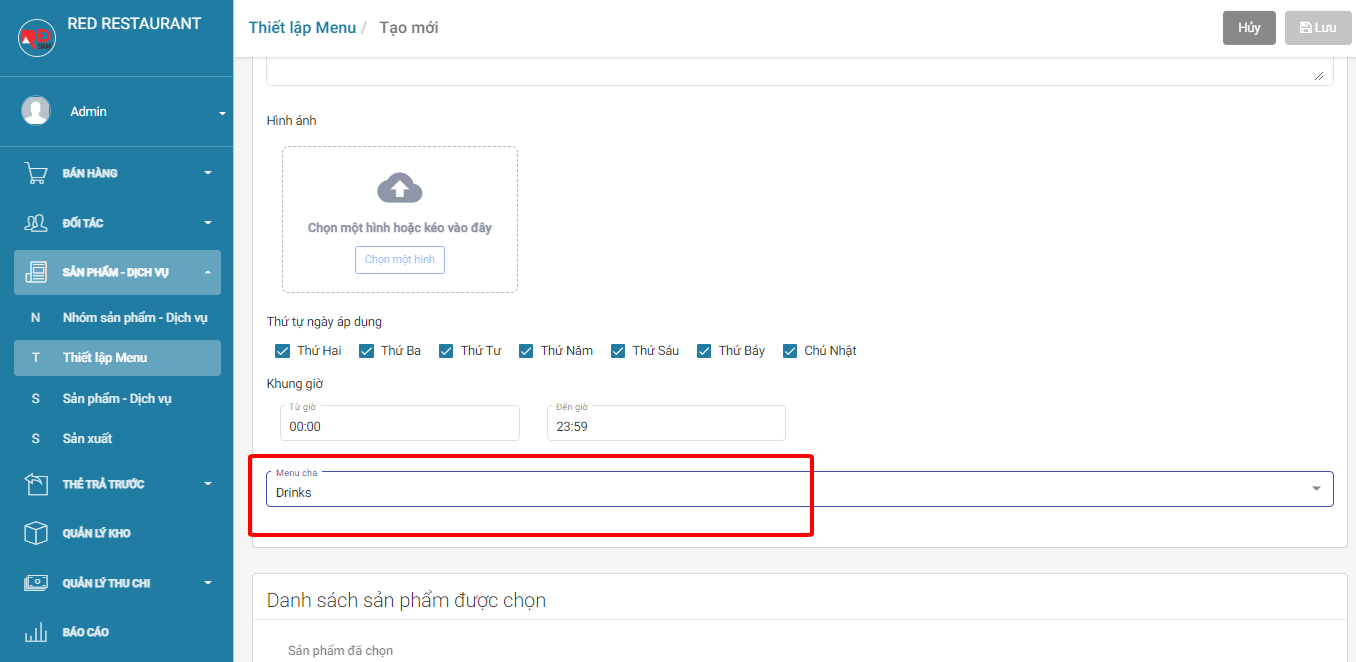
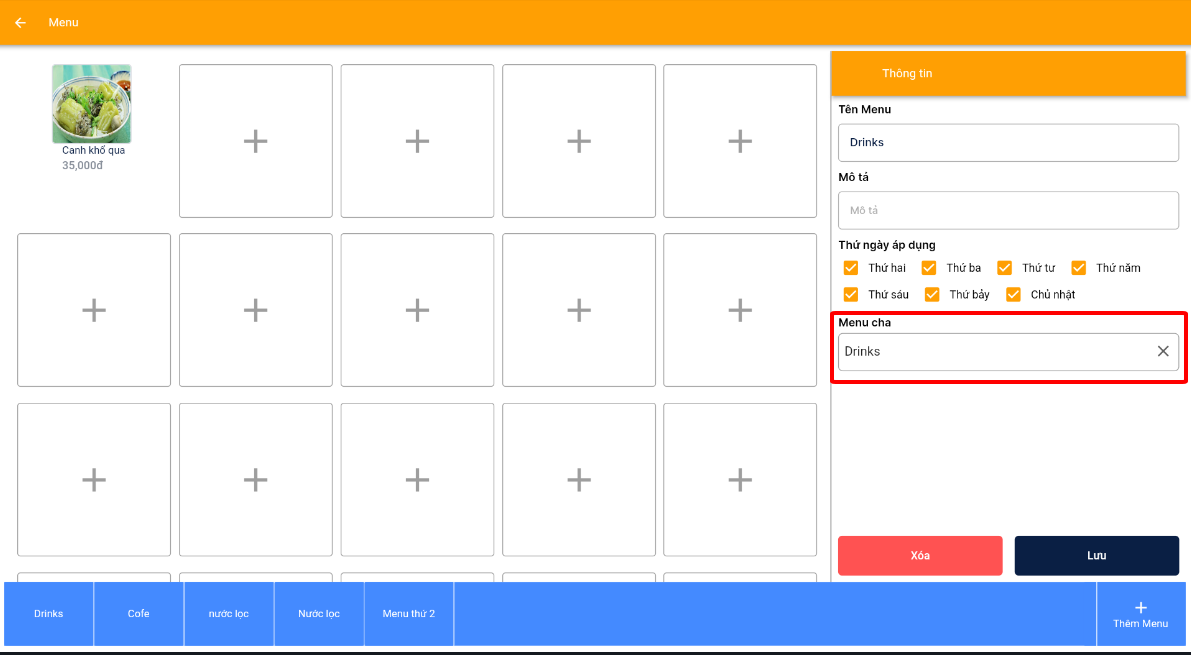
Ta setup như sau
Bước 1: Thiết lập các bước set menu theo ngày
Bước 2: **Đối với Web**, ta thiết lập menu cha con như trong hình
**Còn trên app** thì ta thiết lập tại đây
Sau đó bạn làm theo các bước tương tự như menu theo ngày
\>> Chúc các bạn thành công