# APP - Thông tin cửa hàng

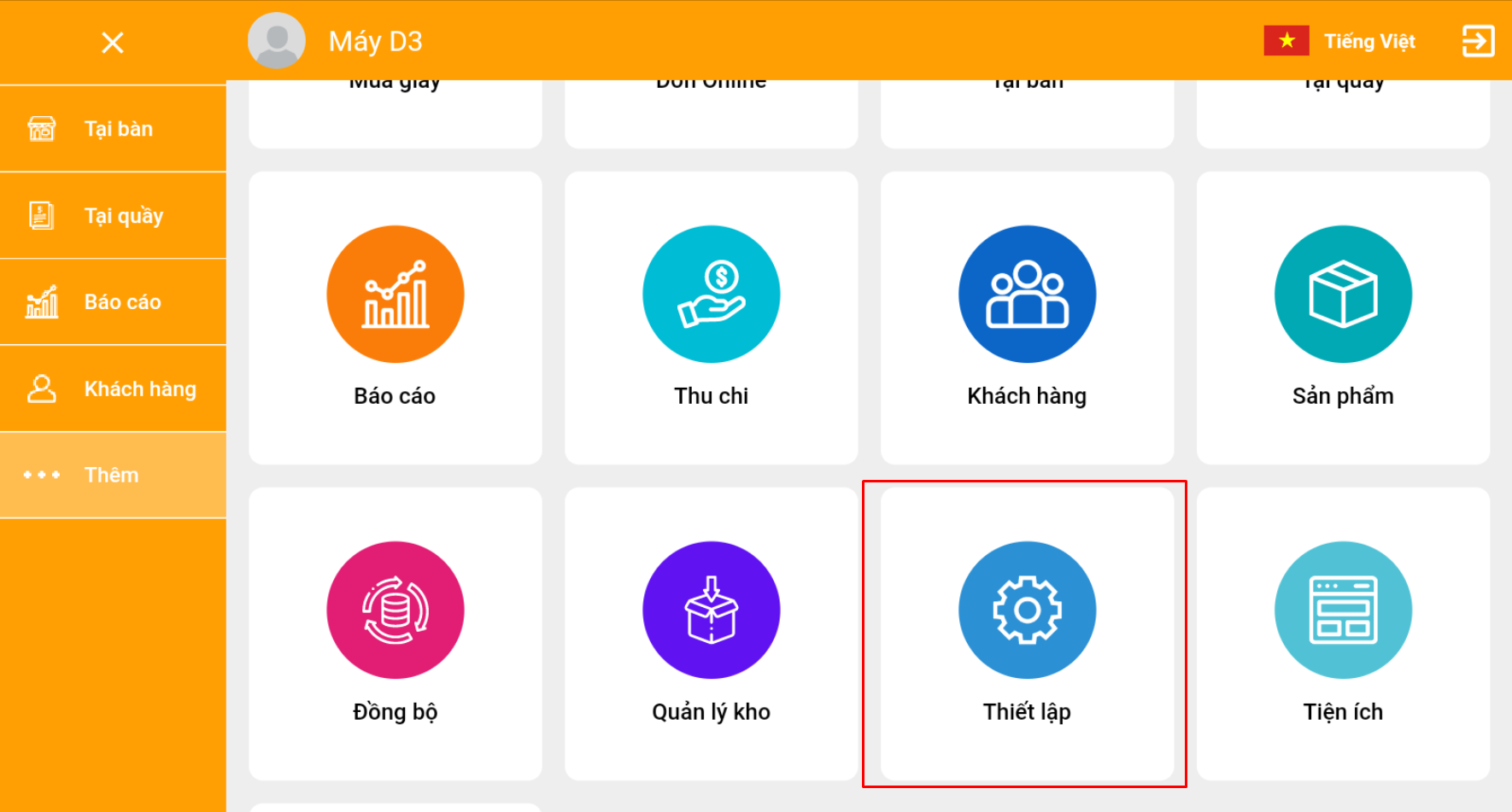
Sau khi tạo tài khoản sử dụng phần mềm PosApp, bạn có thể chọn mục Thiết lập để bắt đầu các thiết lập cơ bản

<figure><img src="https://files.gitbook.com/v0/b/gitbook-x-prod.appspot.com/o/spaces%2F-MXFSIGoxOOM1xROtoGl%2Fuploads%2FMaLOmKZnuFCEYRWEJFEh%2F0.png?alt=media" alt=""><figcaption></figcaption></figure>

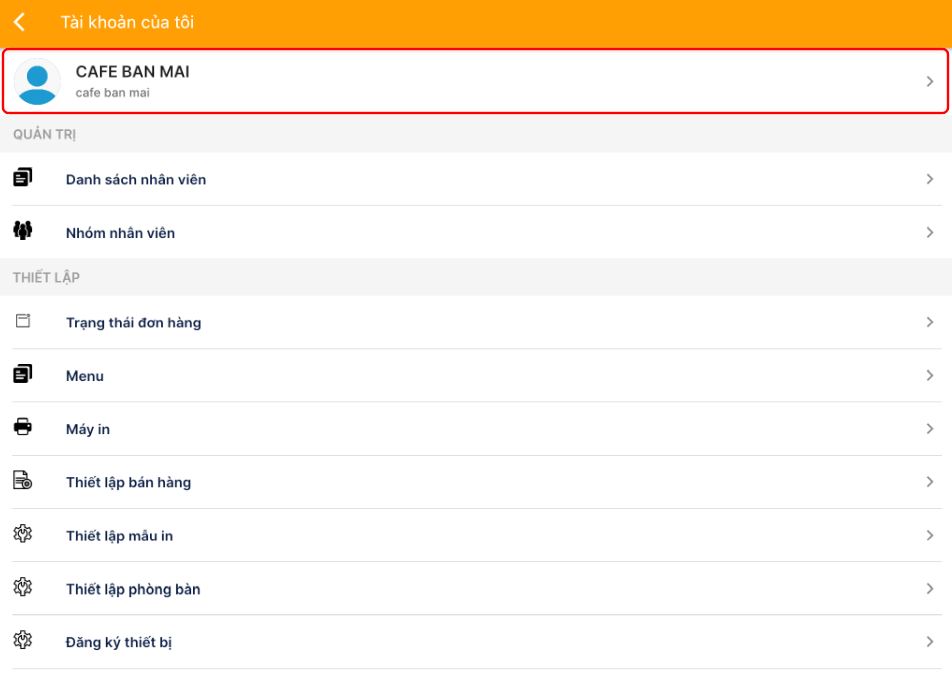
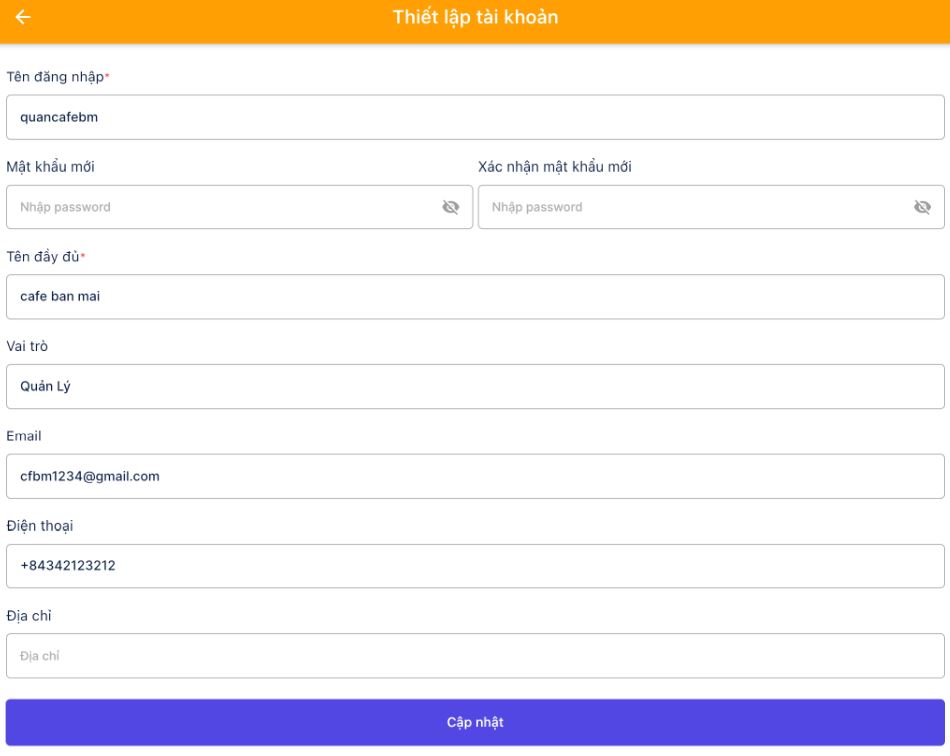
**Bước 1:** Chọn vào tên quán để thay đổi các thông tin như: Mật khẩu, Tên quán, email, số điện thoại, địa chỉ

<figure><img src="https://files.gitbook.com/v0/b/gitbook-x-prod.appspot.com/o/spaces%2F-MXFSIGoxOOM1xROtoGl%2Fuploads%2F75aPmhymUUnshjAJEihw%2F1.jpeg?alt=media" alt=""><figcaption></figcaption></figure>

<figure><img src="https://files.gitbook.com/v0/b/gitbook-x-prod.appspot.com/o/spaces%2F-MXFSIGoxOOM1xROtoGl%2Fuploads%2FARCqBLVO12JaHeTtsZZr%2F2.jpeg?alt=media" alt=""><figcaption></figcaption></figure>

**Bước 2:** Bấm Cập nhật**​**


---

# Agent Instructions: Querying This Documentation

If you need additional information that is not directly available in this page, you can query the documentation dynamically by asking a question.

Perform an HTTP GET request on the current page URL with the `ask` query parameter:

```
GET https://docs.posapp.vn/thiet-lap-ban-dau/app-thong-tin-cua-hang.md?ask=<question>
```

The question should be specific, self-contained, and written in natural language.
The response will contain a direct answer to the question and relevant excerpts and sources from the documentation.

Use this mechanism when the answer is not explicitly present in the current page, you need clarification or additional context, or you want to retrieve related documentation sections.