
Truy xuất hàng hóa và tồn kho trên App
Cách xem tồn kho và lịch sử nhập, xuất, trả lại theo ngày của từng sản phẩm, NVL có quản lý kho trong mục Quản lý kho trên App PosApp.
>> Báo cáo truy xuất này chỉ áp dụng cho các Sản phẩm hoặc NVL có tích quản lý kho
Tại giao diện chính của app chọn quản lý kho
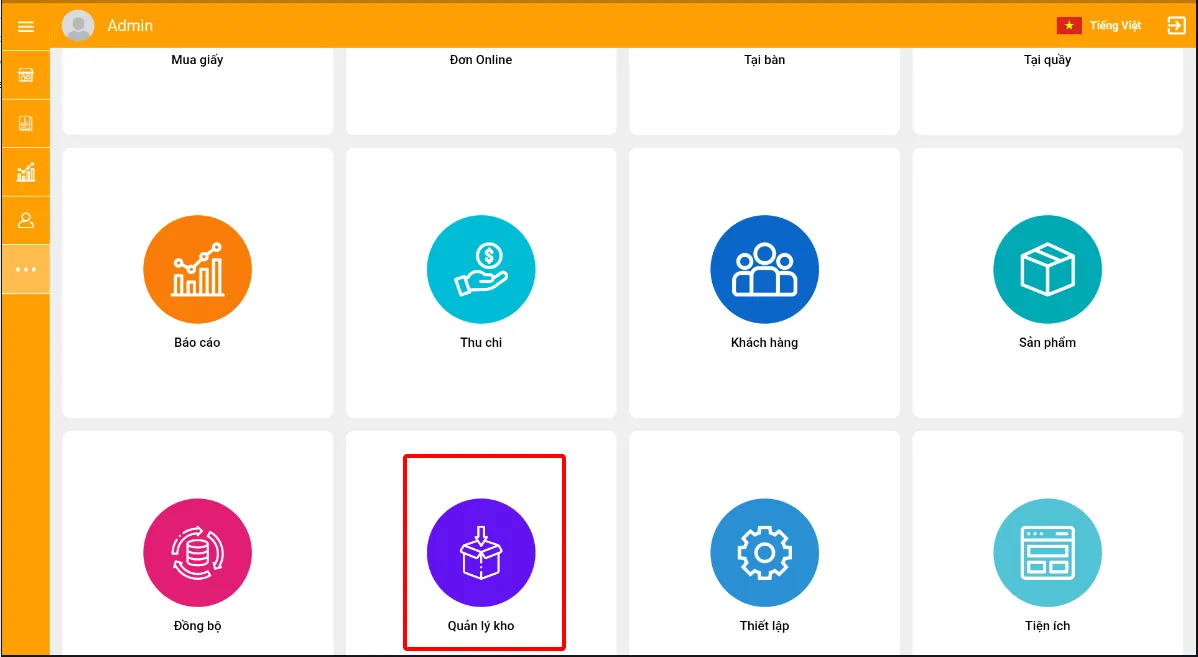
Logo, company name Description automatically generated with medium confidence
- Nhấn tồn kho hoặc truy xuất hàng hóa
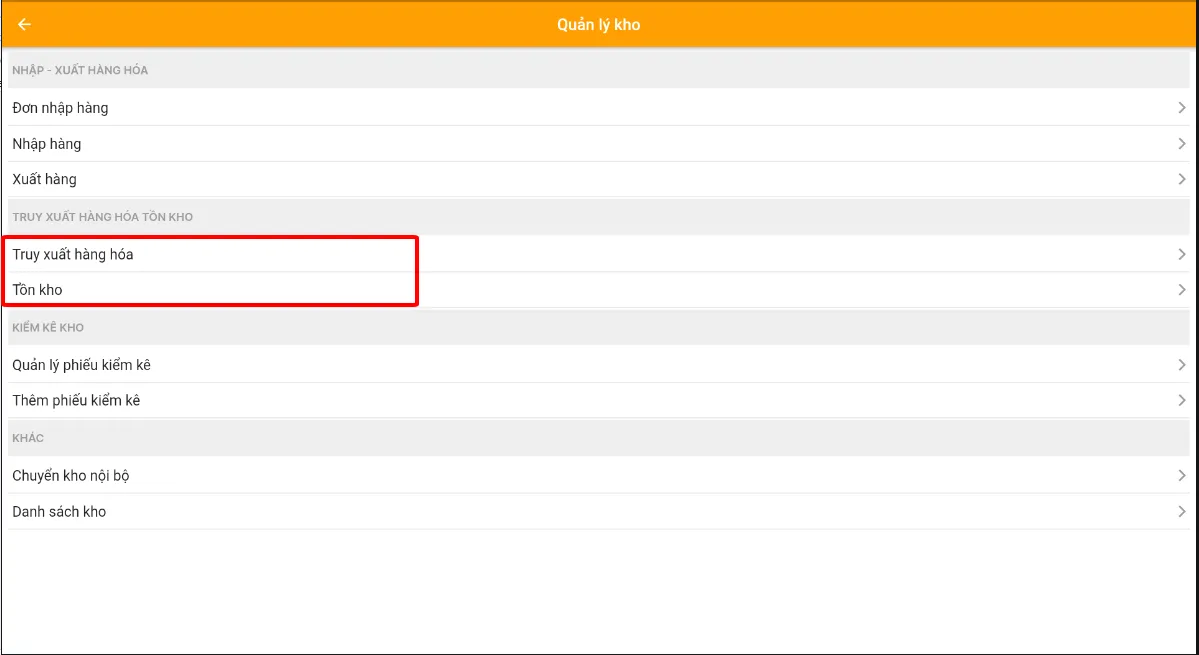
Graphical user interface, application, table Description automatically generated
Ta sẽ thấy các sản phẩm mà mình nhập kho tại đây về nhập, xuất, trả lại
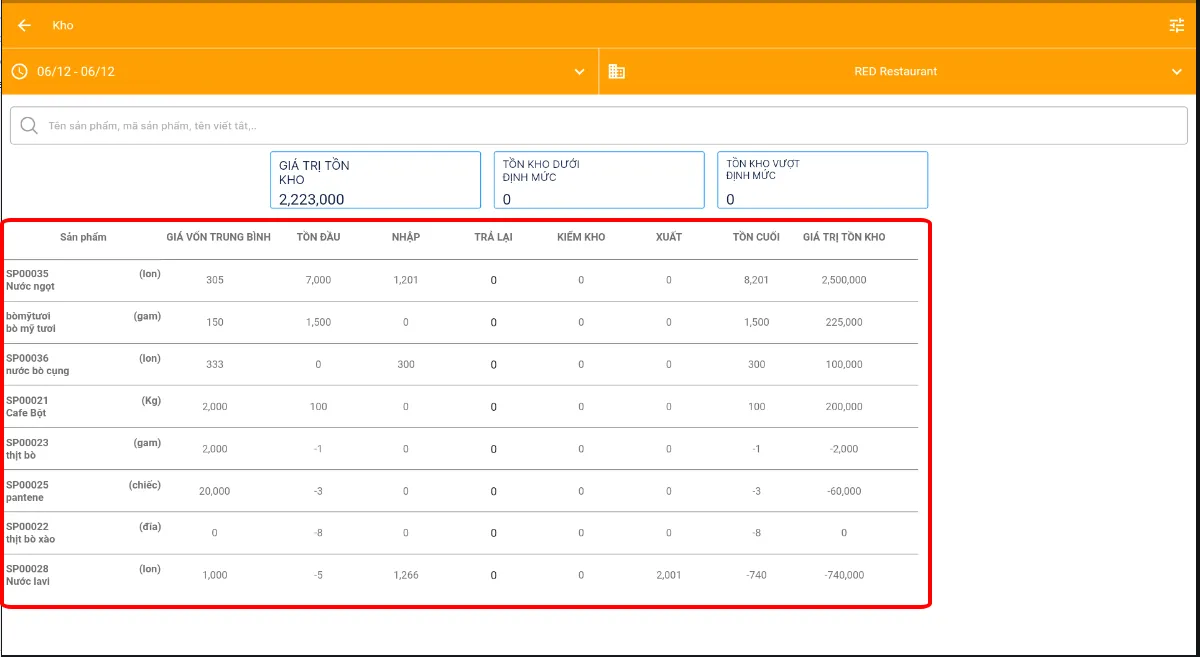
Graphical user interface, application, table, Excel Description automatically generated
- Ấn vào 1 sản phẩm để xem chi tiết về lịch sử nhập xuất của nó sẽ ra các ngày và lịch sử của Sản phẩm đó > ấn vào ngày cần xem > sẽ thấy chi tiết nhập từng đơn 1
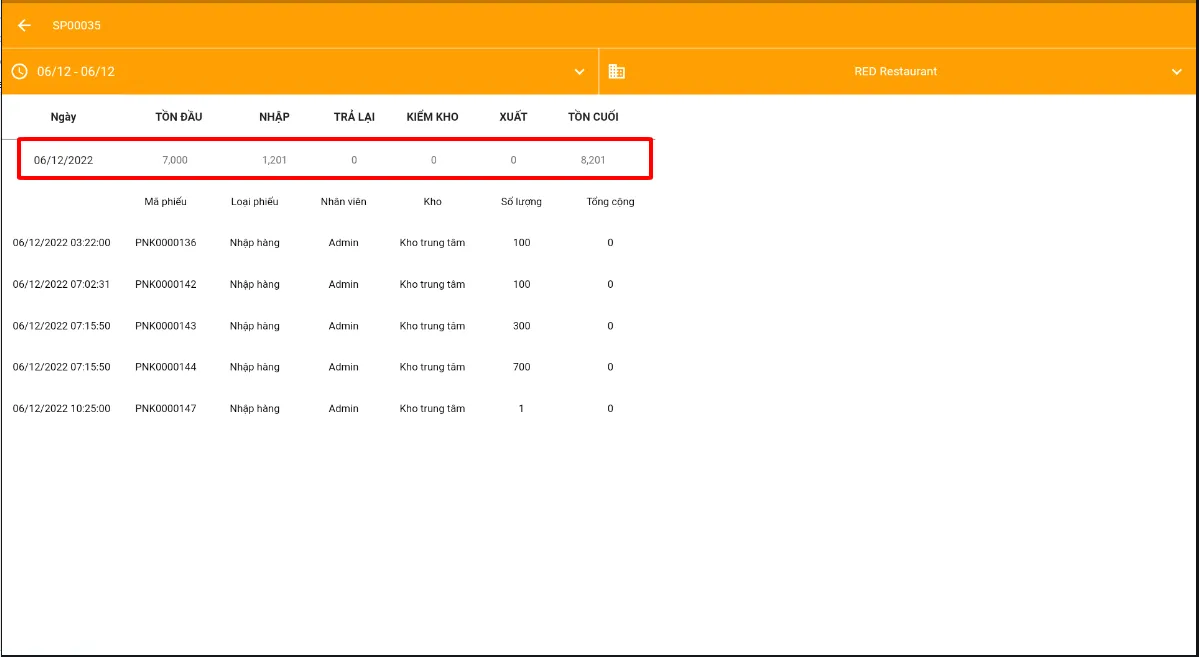
>> Báo cáo truy xuất và tồn kho này chỉ áp dụng cho các Sản phẩm hoặc NVL có tích quản lý kho
>> Chúc các bạn thành công