> For the complete documentation index, see [llms.txt](https://docs.posapp.vn/llms.txt). Markdown versions of documentation pages are available by appending `.md` to page URLs; this page is available as [Markdown](https://docs.posapp.vn/quan-ly-san-pham/cach-cai-dat-menu-theo-ngay/3-app-kich-hoat-menu-theo-ngay.md).

# 3/ APP - Kich hoạt Menu theo ngày

*(khi bạn làm xong 1 hoặc 2, đó chỉ là giai đoạn cài trước menu, để menu áp dụng luôn ta cần kích hoạt)*

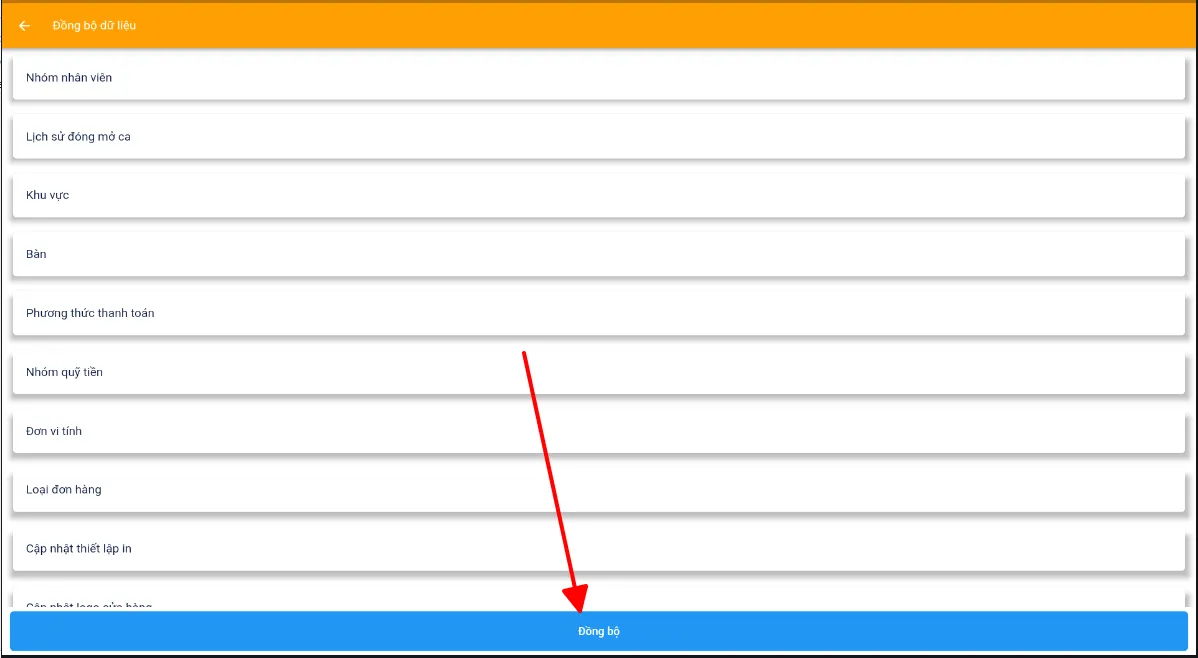
Trên giao diện app > đồng bộ lại 1 lần
![](https://1300779801-files.gitbook.io/~/files/v0/b/gitbook-x-prod.appspot.com/o/spaces%2F-MXFSIGoxOOM1xROtoGl%2Fuploads%2FqY6OUG3yZQIXFSCUpza8%2F14.png?alt=media)

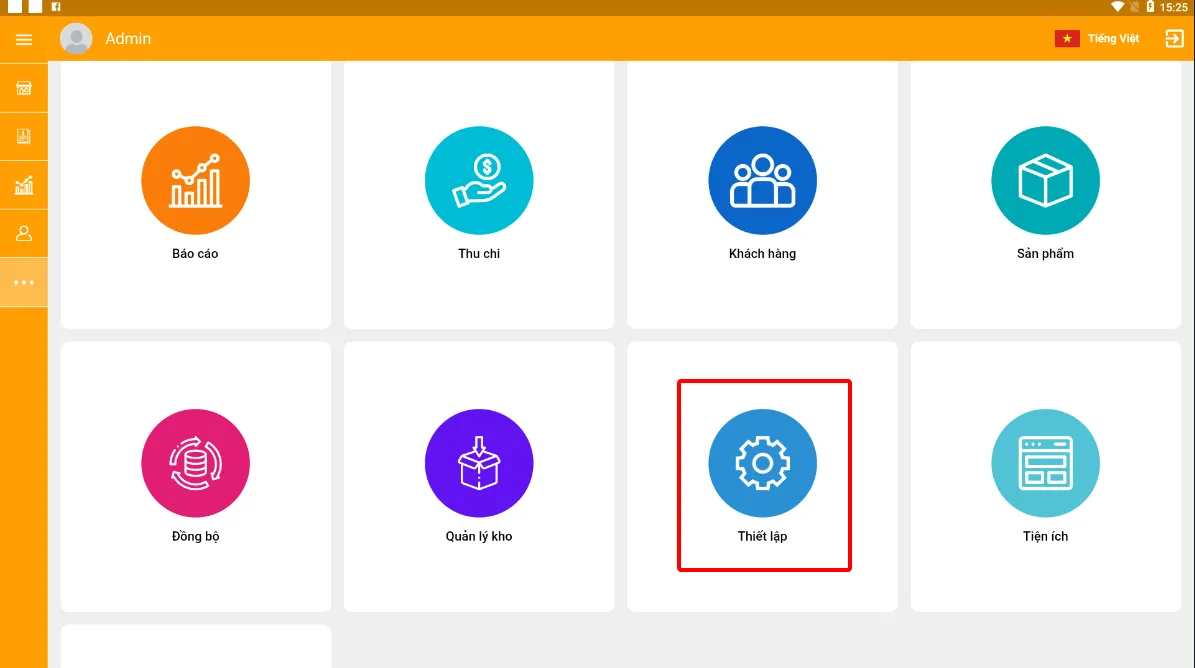
Tiếp theo vào thiết lập

![](https://1300779801-files.gitbook.io/~/files/v0/b/gitbook-x-prod.appspot.com/o/spaces%2F-MXFSIGoxOOM1xROtoGl%2Fuploads%2Fh8gf5KAuBCHw7F24zg5t%2F15.png?alt=media)

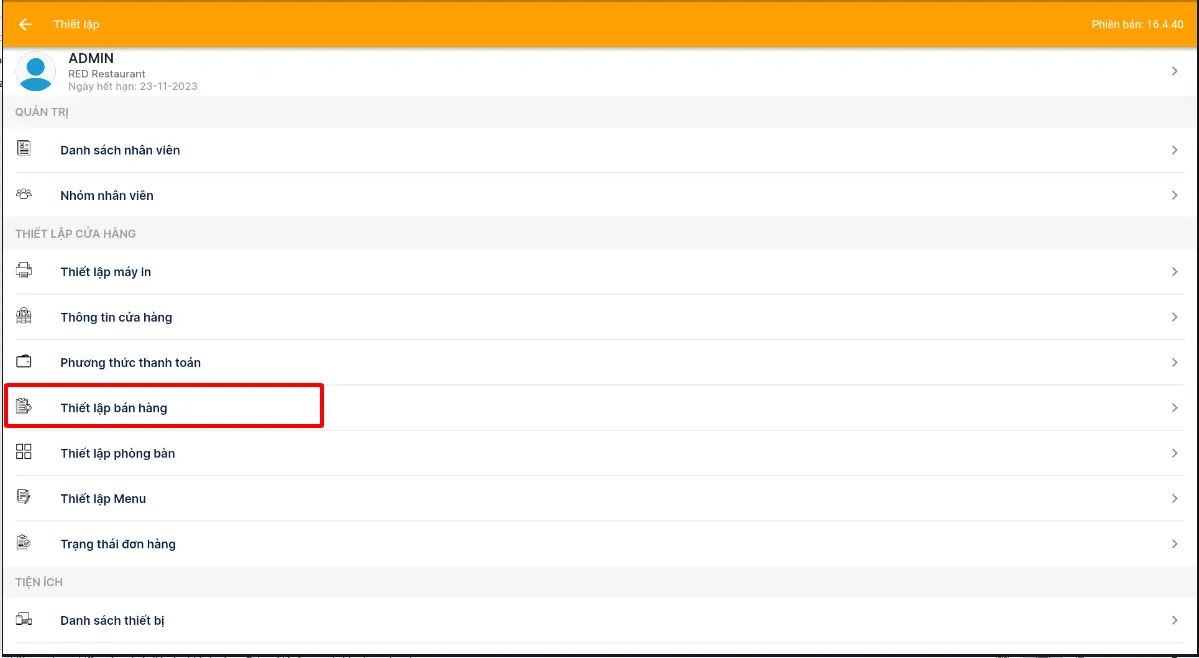
Thiết lập bán hàng

![](https://1300779801-files.gitbook.io/~/files/v0/b/gitbook-x-prod.appspot.com/o/spaces%2F-MXFSIGoxOOM1xROtoGl%2Fuploads%2F9lMbLT9cGM3197UyreAy%2F16.png?alt=media)

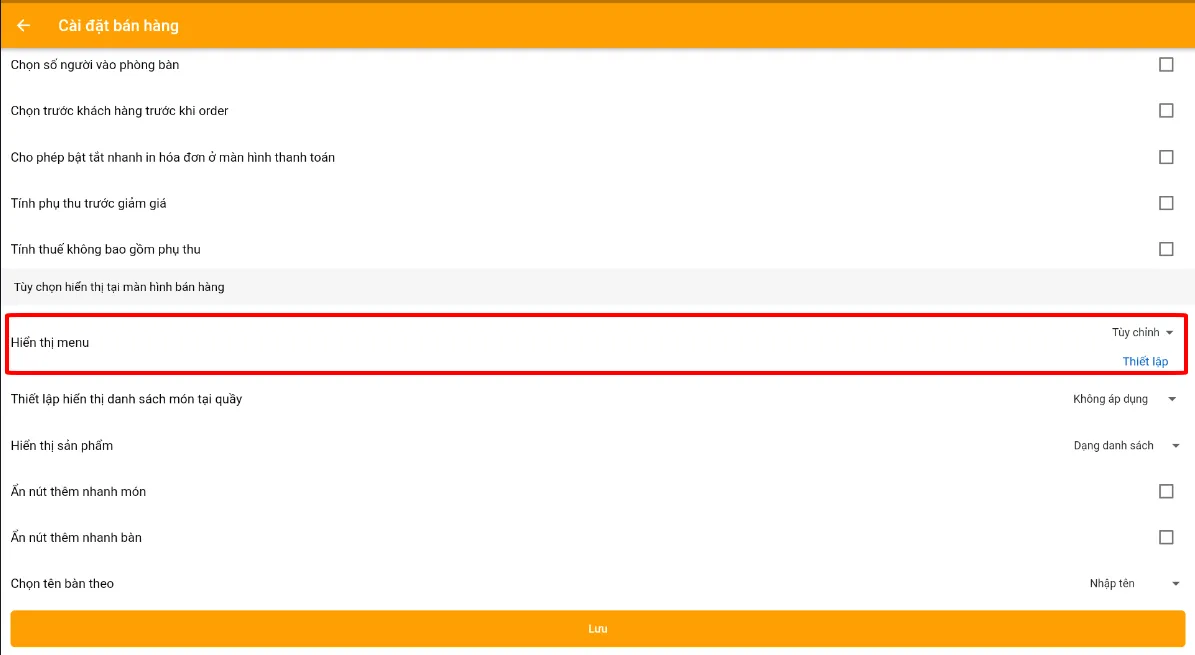
Thiết lập menu > để tùy chỉnh > lưu lại
![](https://1300779801-files.gitbook.io/~/files/v0/b/gitbook-x-prod.appspot.com/o/spaces%2F-MXFSIGoxOOM1xROtoGl%2Fuploads%2FQJauLd4EzIv5zHZVExv9%2F17.png?alt=media)

**>> Chúc các bạn thành công**